

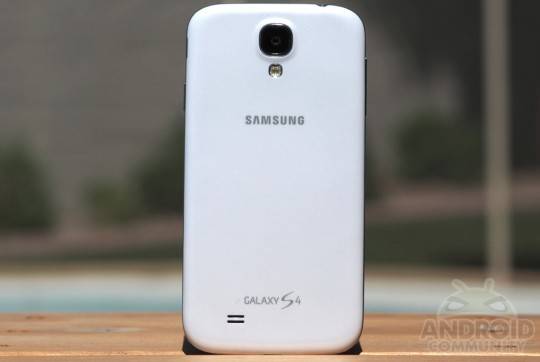
As the Samsung GALAXY S 4 roll-out continues, it is looking like the users are beginning to find some issues. Some of these will most likely be described as being bigger and more important than others. For example, the locked bootloader will probably not bother all that many users, however the limited amount of available storage on the 16GB GALAXY S 4 probably will. With that in mind, it looks like another GALAXY S 4 bug has recently been discovered.
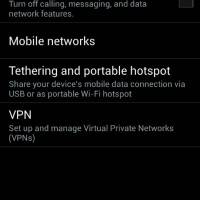
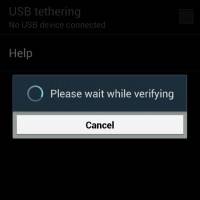
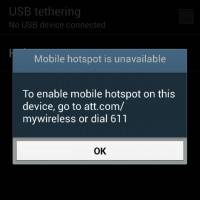
This latest deals with WiFi tethering. Specifically, WiFi tethering for those using an AT&T model GALAXY S 4. The issue is affecting those trying to use the official tethering option found in the ‘wireless and networks’ section of the settings. Basically, even those with tethering enabled are not able to activate and use it. This issue is affecting at least some of the AT&T users and our device happens to be one of the affected. You can get a look from the screenshots below, the phone will make an attempt to verify and then jumps to the ‘mobile hotspot is unavailable’ message.
We’ve since reported the issue to Samsung and they’re looking into it. In the meantime, we have done some testing and do have a workaround solution for those in need of tethering. There is an app called Extended Controls available in the Google Play Store. The app isn’t free, however it is sitting at a low-priced $0.99. Getting tethering setup with the Extended Controls app involves just a few steps, which are detailed below.
- *Install the app from Play Store
- *Add the widget “EC Widgets 1×1” to your home screen
- *Tap the widget to open the settings
- *Tap “Toggles” at the bottom, then “Add new toggle”
- *Scroll until you find “Hotspot Wi-Fi”
- *Tap “Apply.” No need to ‘save this profile.’
- *Tap the widget to open the hotspot toggle
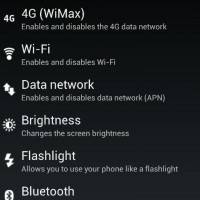
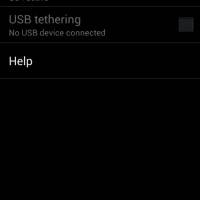
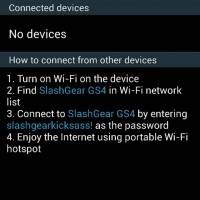
From here, you can begin using tethering as you want and/or need. For those who may have issues with spending $0.99 to be able to use a feature that should be accessible from your phone, you can take some comfort in knowing the Extended Controls app has plenty of other worthwhile features. Just to start, this app offers customizable widgets with lots of available advanced settings for each of the widgets.
The app has the option to set custom backgrounds and adjust the transparency of the widgets. Some of the available widgets include an AlwaysOn feature, AutoLock, AudioManager, Contact Direct Dial and many more. While we wait for something further from Samsung on this issue, those needing WiFi tethering now can find the Extended Controls app using this Google Play Store link.
[device id=5332]








Robert, there is a bunch of free one-step apps that do this in 2 simple steps: a) install app b) add its widget to home screen.
sample apps:
https://play.google.com/store/apps/details?id=bohlool.net.toogleHotspot
https://play.google.com/store/apps/details?id=com.pros.android.hotspotOnoff
https://play.google.com/store/apps/details?id=com.fattin.togglewidget.hotspot