

• Home
  • Reviews
  • Featured
  • Archives
  • Videos
  • Devices
  • Send Tips
  • Contact
  • AndroidCommunity on Twitter AndroidCommunity on Facebook AndroidCommunity on Google+ AndroidCommunity RSS Feed

Android Community

    • MUST READ

      STORIES

    • Android 4.3 leaks on video with new camera UI

      May 24, 2013

    • HTC One ‘Senseless Edition’ could arrive this summer

      May 23, 2013

    • Verizon HTC One reality returns as DROID DNA offer pops up

      May 20, 2013

  • Trending Topics
  • Jelly Bean
  • NVIDIA
  • Galaxy S 4
  • HTC One
  • Nexus 7
  • Tegra
  • Sell Your Used Phone

Motorola DROID 2 software update rolling out now – not Ice Cream Sandwich

3
  • By Cory Gunther
  • on 15 Apr, 2012

Motorola DROID 2 software update rolling out now – not Ice Cream Sandwich

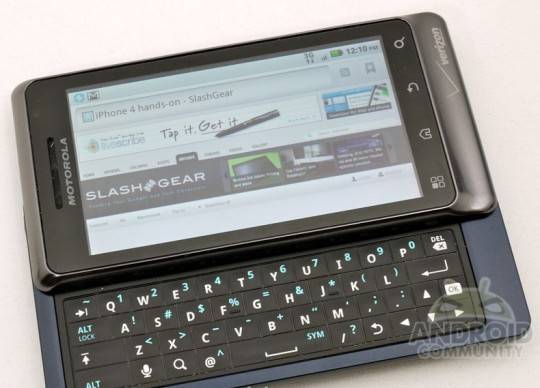
Verizon and Motorola have finally started pushing the latest software update for the Motorola DROID 2. We received some information on this update a few weeks back, but today the update details have finally been released by Verizon and the update is rolling out now. This is a small update, only 14MB in size and we have the full changelog below.

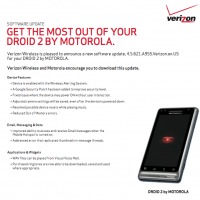
The DROID 2 Global received an update back in March and now it’s the regular D2′s turn for some improvements and bug fixes. According to Verizon the update mainly is for some security patches provided by Google, as well as Google App updates. Along with those changes we also see a fix for out of memory errors, and random restarts while playing or streaming music from the device.

The full changelog can be seen from the full-sized image in the gallery below, but we don’t have anything major here although a few with these issues should be happy to have them finally resolved. Motorola has also fixed a problem where the DROID 2 was randomly turning on without user interaction, a weird problem indeed. The update brings the D2 to build 4.5.621 and is essentially the same as the update the R2-D2 received a few weeks back.

The update is rolling out now or you can manually pull it to your device by going to settings > about phone > check for updates and give it a go yourself. Enjoy, and let us know if you see any issues after the update.

d2-540x388
Screen Shot 2012-04-15 at 10.16.09 AM

Story Timeline

  • Motorola Droid 2 Reportedly Explodes, Injures Man
  • Motorola Droid 2 Getting CM7 Officially, Nightlys Coming Soon
  • Droid 2 Update to Gingerbread Coming After Droid 3 Launches
  • Motorola Droid 2 Gingerbread Update Now Available
  • Official DROID 2 Global Gingerbread update is coming soon
  • Motorola DROID 2 Global update rolling out now
[device id=312]
Share
  • New Nexus 7 reportedly shipping now, launching next month
  • HTC One with a larger 5-inch display coming soon
  • Android 4.3 leaks on video with new camera UI

Tags: Droid 2motorolaMotorola Droid 2smartphoneUpdateVerizon

  • http://digg.com/users/OmegaWolf Silver Fang

    Update won’t install for me. Rooted Gingerbread.

  • Amit Kumar

    Thank you,

    The given information is very effective.

    I’ll keep update with the same.

    web
    designing

  • Aaron

    Update went fine on my droid 2 but when my wife got the update on her droid 2 it is making the phone freak out. The status bar (at the top) is gone and it plays notification sounds every few minutes. Any suggestions?

  • Search

  • REVIEWS

    • AT&T LG Optimus G Pro ReviewAT&T LG Optimus G Pro Review
    • Iron Man 3 game Review: what you need to knowIron Man 3 game Review: what you need to know
    • Samsung GALAXY S 4 ReviewSamsung GALAXY S 4 Review
    • Samsung Galaxy Note 8.0 ReviewSamsung Galaxy Note 8.0 Review
    • Pebble review: Two weeks with a smartwatchPebble review: Two weeks with a smartwatch
  • HANDS-ON & QUICK LOOKS

    • Coolpad Quattro II 4G and 8920 hands-onCoolpad Quattro II 4G and 8920 hands-on
    • Kyocera Hydro XTRM and EDGE hands-onKyocera Hydro XTRM and EDGE hands-on
    • Opera for Android exits beta, we go hands onOpera for Android exits beta, we go hands on


  • T-Mobile G1 Accessories
  • RECENT COMMENTS

  • About
  • Contact
  • Terms of Use
  • Privacy Policy
  • Advertise

Copyright 2013 Android Community







