

• Home
  • Reviews
  • Featured
  • Archives
  • Videos
  • Devices
  • Send Tips
  • Contact
  • AndroidCommunity on Twitter AndroidCommunity on Facebook AndroidCommunity on Google+ AndroidCommunity RSS Feed

Android Community

    • MUST READ

      STORIES

    • Android 5.0 ‘Key Lime Pie’ Concept Design has us dreaming for the future

      June 18, 2013

    • Huawei Ascend P6 official as world’s thinnest smartphone

      June 18, 2013

    • Kazam created by ex-HTC execs, aimed for European market

      June 17, 2013

  • Trending Topics
  • Jelly Bean
  • NVIDIA
  • Galaxy S 4
  • HTC One
  • Nexus 7
  • Tegra
  • Sell Your Used Phone

LG Spectrum update detailed by Verizon Wireless

0
  • By Robert Nelson
  • on 18 Feb, 2013

LG Spectrum update detailed by Verizon Wireless

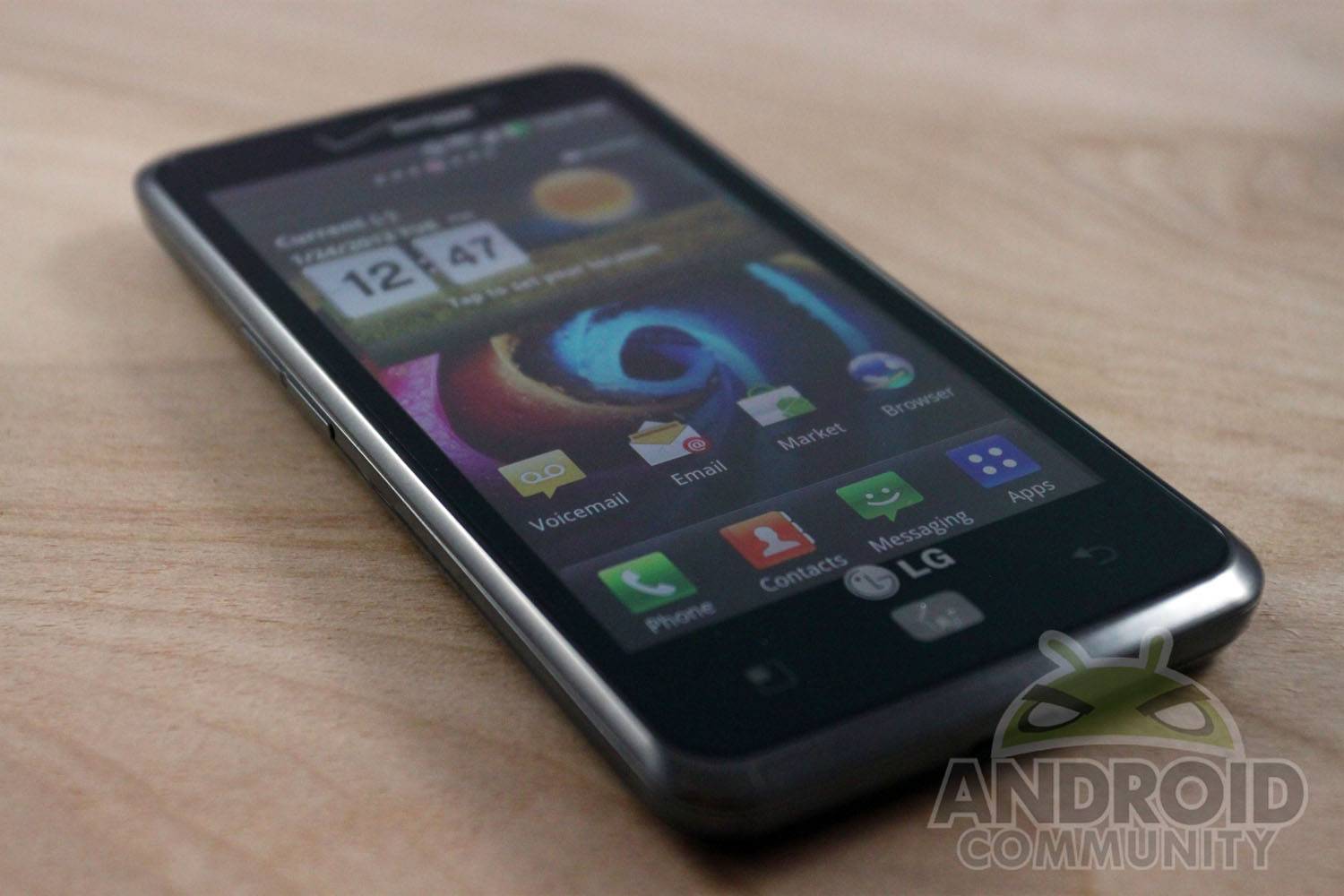
Verizon updated the LG Spectrum to Ice Cream Sandwich back in October and it looks like details for another software update have recently been posted. And while we would be happy to report this update was brining Jelly Bean, that is not the case. Of course, we are not all that certain any Spectrum users are expecting that anyway. Needless to say, this update still seem worthwhile and one that you will likely want to grab.

IMG_42951

Details coming from Verizon Wireless show this update as being software version VS920ZV8 and with a few “device enhancements and updates.” Basically, Verizon is changing and improving a few things — one of which includes removing some of the bloatware. Those with a Spectrum will notice that the following apps will be removed during the update process; Rhapsody, Blockbuster, V CAST Apps, V CAST App Installer and Verizon Video.

Some of the improvements include dialer performance while initiating a call and for LG keyboard actions. This update also added the ability to take a picture while on a voice call and added an “all calls to voicemail” option so the user can reject all incoming calls. After updating you will also be able to use the power button to turn the LCD backlight on during a voice call.

This LG Spectrum update will measure in at 73.1MB in size and according to Verizon, should take anywhere from 5 to 10 minutes to download and then another 5 to 10 minutes to install. If you happen to have an LG Spectrum you now have two options to consider — sit back and wait for the update or take the pro-active approach and try to get it now. Those choosing the latter can navigate to Menu -> Settings -> About phone -> Software updates -> Check for Updates to get the process started.

Story Timeline

  • Verizon updates the LG Spectrum with fixes and bloatware
  • LG Spectrum set for major update - no ICS yet
  • LG Spectrum Android 4.0.4 ICS leaked
  • LG Spectrum 2 tipped for Verizon 4G LTE
  • Verizon roadmap leaked, includes HTC Droid Incredible X and LG Spectrum II
  • Verizon announces $99 LG Spectrum 2 available online now
  • LG Spectrum 2 Review
[device id=2112] [via Droid-Life]

Share
  • Android 5.0 'Key Lime Pie' Concept Design has us dreaming for the future
  • Google Now wallpapers in full-size available now for all
  • Minuum Keyboard ready for beta testing - aims to change how we type

Tags: AndroidGoogleLGLG Spectrumphone updatessoftware updatespectrumVerizonverizon wireless

  • Search

  • REVIEWS

    • Sony Xperia ZL ReviewSony Xperia ZL Review
    • GALAXY S 4 Tech21 Impact Mesh case reviewGALAXY S 4 Tech21 Impact Mesh case review
    • AT&T LG Optimus G Pro ReviewAT&T LG Optimus G Pro Review
    • Iron Man 3 game Review: what you need to knowIron Man 3 game Review: what you need to know
    • Samsung GALAXY S 4 ReviewSamsung GALAXY S 4 Review
  • HANDS-ON & QUICK LOOKS

    • Qualcomm Snapdragon 800 series developer platform first lookQualcomm Snapdragon 800 series developer platform first look
    • Huawei Ascend P6 “Beauty Shot” hands-on demo shows smooth-skin oddityHuawei Ascend P6 “Beauty Shot” hands-on demo shows smooth-skin oddity
    • Huawei Ascend P6 hands-onHuawei Ascend P6 hands-on


  • T-Mobile G1 Accessories
  • RECENT COMMENTS

  • About
  • Contact
  • Terms of Use
  • Privacy Policy
  • Advertise

Copyright 2013 Android Community






