

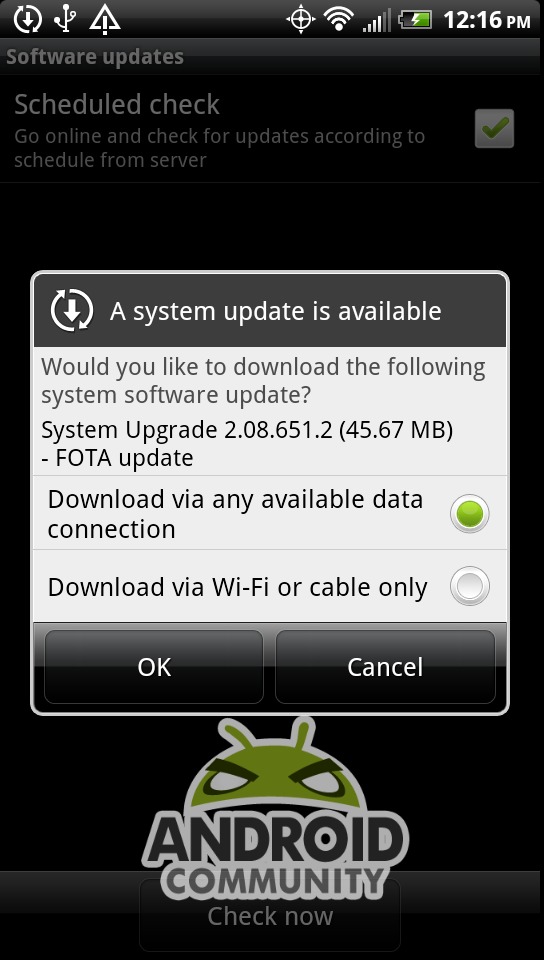
HTC has just updated the HTC EVO 3D and they are basically fixing the issues that the first OTA caused the device from back when it launched. While the update didn’t take too long I’m sure some wish this would have came a bit sooner. The update (version number 2.08.651.2) began its rollout already this morning and should be hitting all EVO 3D owners by 8/23. You can check for HTC Software Updates now and it will pull the update just as I have done. It’s around 45mb in size so Wifi might speed up the process.
If you don’t want to wait for the OTA to hit your handset go ahead and go to Menu > Settings > System Updates > HTC Software Update > Check Now > OK and you’ll be good to go. Once you’ve installed the update you will find many bug fixes that should help overall performance and user experience and they’ve even added native screenshots.
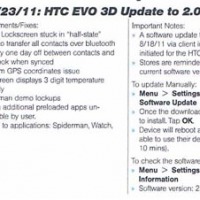
Fixes:
-Device Lockscreen stuck in “half-state”
-Ability to transfer all contacts over bluetooth
-Birthday one day off between contacts and Facebook when synced
-Random GPS coordinates issue
-Lockscreen displays 3 digit temperature correctly
-Spiderman demo lockups
-Making additional preloaded apps uninstallable by user
-Update to applications: Spiderman, Watch, Qik
They were also nice enough to allow more of the pre-loaded applications to be uninstalled by the user, something previously needing root access so we all appreciate that. The update brings along native screenshots to the EVO 3D and Sensation 4G. Hold the power button and quickly tap “home” and it will take a screenshot and save it to your gallery. I’ve just confirmed this indeed works and is easy as can be.
Go ahead and update your EVO 3D phones and please feel free to drop us a comment below if you experience any issues or problems. If you are rooted I’d wait on accepting this in case the loophole that was found for root and unlocks has been closed.
[device id=146]








Just got mine updated a few hours back. Finally a native screenshot solution! Device seems to be much faster too!
how do you sreen shot?
1. Hold down the POWER button and then press the HOME button.2. That’s it! Seriously, it’s that easy! You’ll see a message appear on the screen that says “screenshot saved to Camera shots”. You can then go to your Gallery app to see the screenshots that you have captured.
let me know if you can papichul8@gmail.com
This takes the EVO 3D to Android 2.3.4. Plus when you restart SD based apps get their icons back.
i thought android 2.3.4 allows gtalk video chat?
guys this also allows the bootloader unlock process from HTdev.com/bootloader
The Swype txting on the phone is messed up. Like it won’t let u add in another word before th other you have put down so u have to erase the whole thing in order to do so.
create wiki
Embed wiki are HTML content
blocks that can be embedded into any web page enabling users to simply
double-click on them whenever changes need to be made. doowikis.com create wiki capabilities to
your website without additional server software or redirecting users to a
third-party wiki site.
To see a real-world example, take a look at this website which runs entirely on
doowikis. Install a free wiki in your website
and which will work like a wiki
software.
http://doowikis.com/
My HTC evo 3d battary is going down in 6-7 hrs, what wil b the issue?
thanks!!!
my phone is more glitchy with the update. my lockscreen goes haywire and i have to pull down the notification menu to unfreeze the phone
how can i up-date my HTC Evo 3d phone and install the arabic keyboard software version need your assistant if u can
Useless, unfortunately, doesn’t work with the default video player or with mx video player. Is there any video player that able to save the frame for me? Thanks in advance.
Edit: I am able to save the frame when I switch to software decoding in mx video player…
my HTC evo does not connect to my mobile network. have tried everything but it just won’t work.
How do I take off the ‘hide browser history setting’?
i did a system update last month and i absloutly hate it bc my phone is superrrr slow and its not working right . what to do ?
i just updated and now the system is telling me to please wait i cannot text ]
I keep trying to update but it powers off then goes to a screen with a yield
sign and an android dude