

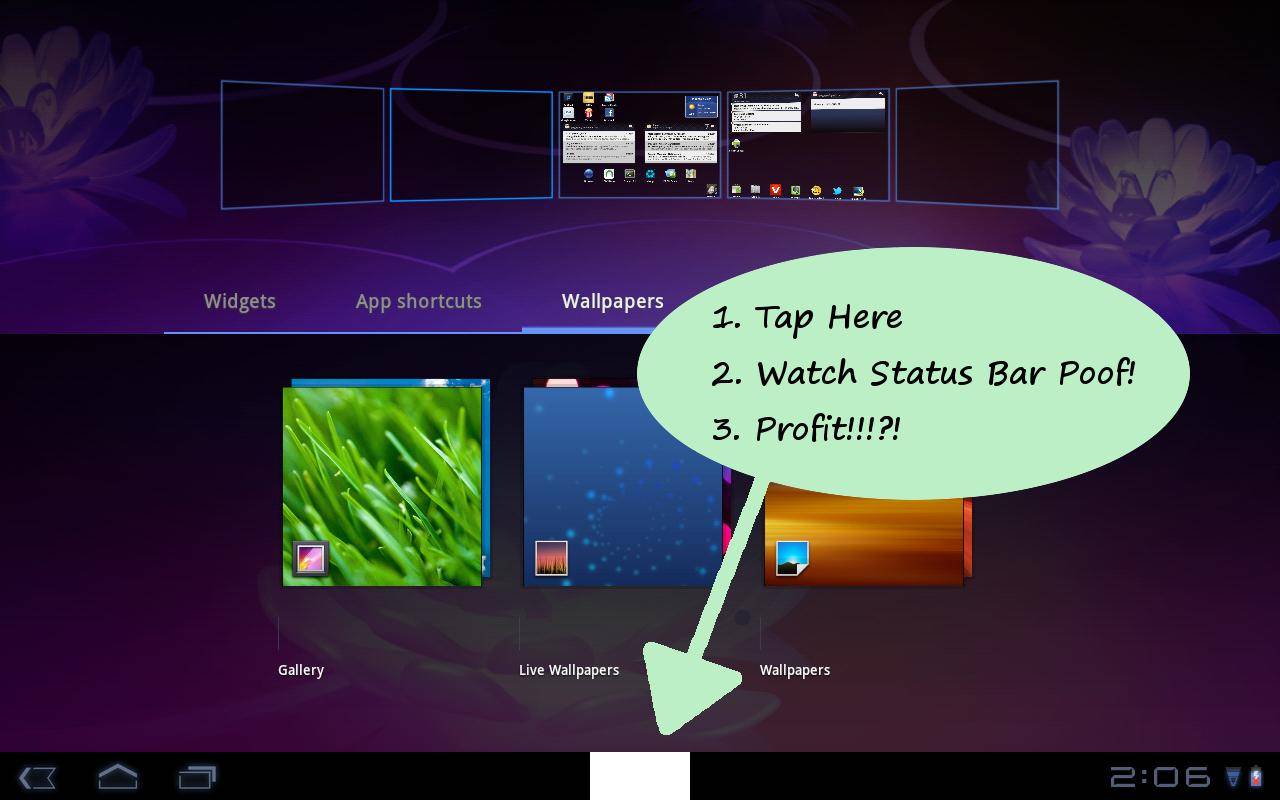
It’s always good to have options, and with Android, there’s no mobile OS on earth with more of them – right? Turns out that’s not always true, or so it is if you ask any number of developers on the Android circuit, just so long as they’re looking for total and complete control they’ll never completely be satisfied. Thus, there must be apps such as this: HoneyBar, an app which requires root but gives you the ability to get rid of your Android 3.x Honeycomb status bar whenever you like, with just a tap of a button.
The developers of this application, namely Perry Nguyen, are rather against the idea that this sort of functionality hasn’t been added per a request at Google Code for such an ability to be active. He’s decided to create an app that costs $0.99 and adds a big ugly white box in the middle bottom of your display, disappearing after you’ve activated the single ability this app activates 10 times. In addition to being able to hid e your Honeycomb status bar, you’ll be able to do so with a slightly offset button should you be using Samsung’s TouchWiz UX as there’s a button in this same location to bring up some quick launching min-apps in that particular tablet UI.
You can pick this app up on the Android Market if you wish, and you MUST remember that it will not work unless you’ve achieved root on your tablet device. Should you try the app out without root or on an Android handset instead, not much of anything will occur. The developer of this app also has several other Android control apps that work with the basic functions of your Android device to give you the top experience you expect from a device you want utter dominance over.
[via Android Market]








You left out the most important part! The link to the google code url where you can star this “issue.”
http://code.google.com/p/android/issues/detail?id=15408
At first when I bought the app, it wasn’t working on my device. I gave him some feedback of what I was running and such, and in this latest version it now works on my galaxy tab 10.1 (google i/o edition that’s running starburst rom). It’s great now for hooking up to tv’s and such. No more annoying white dots while playing a movie!