• Home
  • Reviews
  • Featured
  • Archives
  • Videos
  • Devices
  • Send Tips
  • Contact
  • AndroidCommunity on Twitter AndroidCommunity on Facebook AndroidCommunity on Google+ AndroidCommunity RSS Feed

Android Community

    • MUST READ

      STORIES

    • Android 5.0 ‘Key Lime Pie’ Concept Design has us dreaming for the future

      June 18, 2013

    • Huawei Ascend P6 official as world’s thinnest smartphone

      June 18, 2013

    • Kazam created by ex-HTC execs, aimed for European market

      June 17, 2013

  • Trending Topics
  • Jelly Bean
  • NVIDIA
  • Galaxy S 4
  • HTC One
  • Nexus 7
  • Tegra
  • Sell Your Used Phone

Google Docs receives update, Brings offline access and better tablet support

2
  • By Cory Gunther
  • on 1 Feb, 2012

Google Docs receives update, Brings offline access and better tablet support

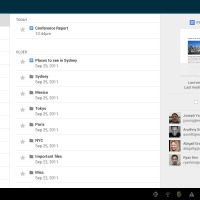
Google has just issued another update for their popular Google Docs for Android app. While many of Google’s apps are awesome they seem to release a few that don’t have that great of tablet support — something that just doesn’t make sense to us. Today they’ve updated Docs with not only offline support, but they’ve also improved the tablet look and experience.

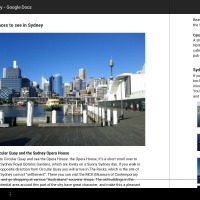
The last update back in October enhanced the tablet experience but today’s update brings it up to speed with Android 4.0 Ice Cream Sandwich. Not only does it work great with Android 4.0 like the pictures show, but it no longer will feel stretched out and modded for tablets — this is a full on tablet experience now. Feel free to use and love the best cloud-based documents application for Android on those tablets with ease.

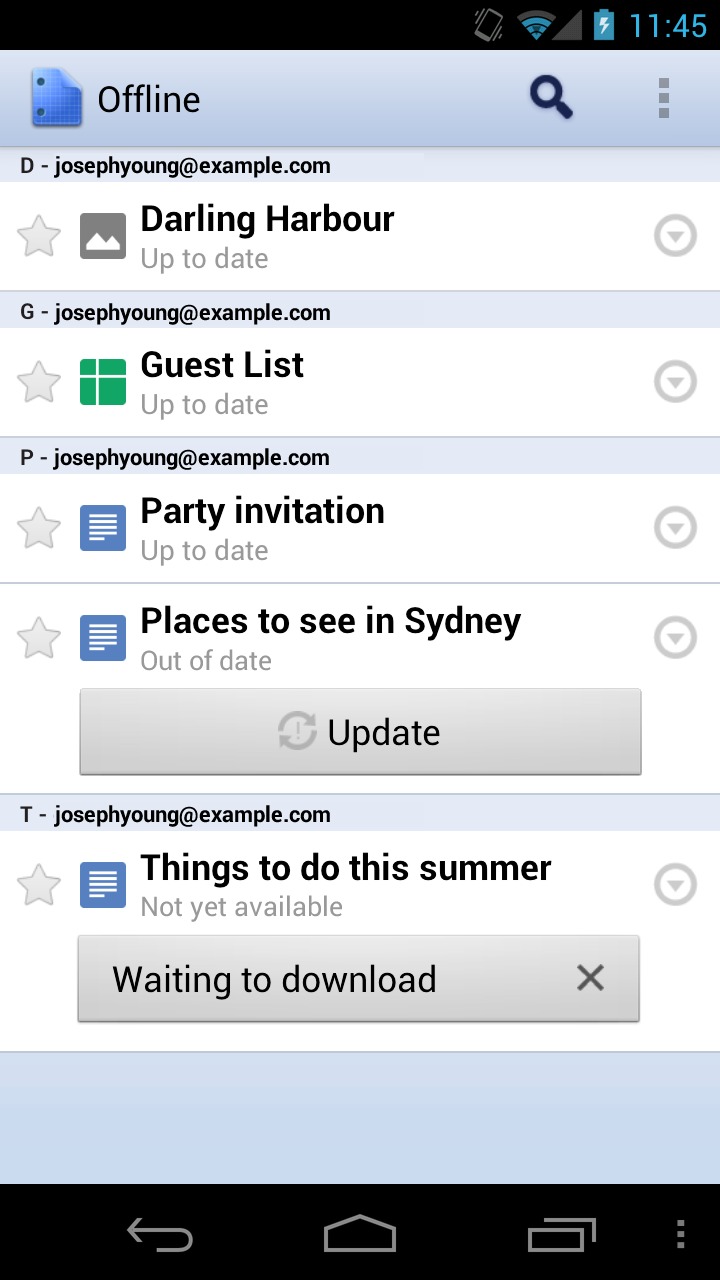
Google has added offline support with the touch of a button. And if you edit any documents while offline they will automatically be recognized and uploaded to the cloud once online again — neat right? The tablet experience as we mentioned above also has been improved in regards to reading documents and will now be even more “high-def” according to Google. All the details are available from the Google Mobile Blog. Get the new and improved version from the Android Market now.
Market Link

2_mobile_offline
5_tablet_offline
3_tablet_offline


Story Timeline

  • Edit your Google Docs in your mobile browser
  • Google Docs comes to Android, does everything great
  • Google Docs for Mobile Now Lets You Share On The Go
  • Google Docs Updated, Adds 46 new languages and image attachments
  • Google Docs update improves tablet layout and experience
Share
  • Android 5.0 'Key Lime Pie' Concept Design has us dreaming for the future
  • Google Now wallpapers in full-size available now for all
  • Minuum Keyboard ready for beta testing - aims to change how we type

Tags: applicationsAppsGooglegoogle docsSupportTabletUpdate

  • http://www.liliputing.com Brad Linder

    Actually you can’t edit docs while offline. Instead, what happens is if you make any changes to the online version of a doc — that change will automatically be synchronized to your “offline” copy stored on your mobile device the next time you connect to WiFi.

  • http://www.iphoneandroidtips.org/ Abhishek

    Man I just downloaded this app and this is damn cool, specially chrome app rocks and loved the interface and setting options this time.

  • Search

  • REVIEWS

    • Sony Xperia ZL ReviewSony Xperia ZL Review
    • GALAXY S 4 Tech21 Impact Mesh case reviewGALAXY S 4 Tech21 Impact Mesh case review
    • AT&T LG Optimus G Pro ReviewAT&T LG Optimus G Pro Review
    • Iron Man 3 game Review: what you need to knowIron Man 3 game Review: what you need to know
    • Samsung GALAXY S 4 ReviewSamsung GALAXY S 4 Review
  • HANDS-ON & QUICK LOOKS

    • Qualcomm Snapdragon 800 series developer platform first lookQualcomm Snapdragon 800 series developer platform first look
    • Huawei Ascend P6 “Beauty Shot” hands-on demo shows smooth-skin oddityHuawei Ascend P6 “Beauty Shot” hands-on demo shows smooth-skin oddity
    • Huawei Ascend P6 hands-onHuawei Ascend P6 hands-on


  • T-Mobile G1 Accessories
  • RECENT COMMENTS

  • About
  • Contact
  • Terms of Use
  • Privacy Policy
  • Advertise

Copyright 2013 Android Community