

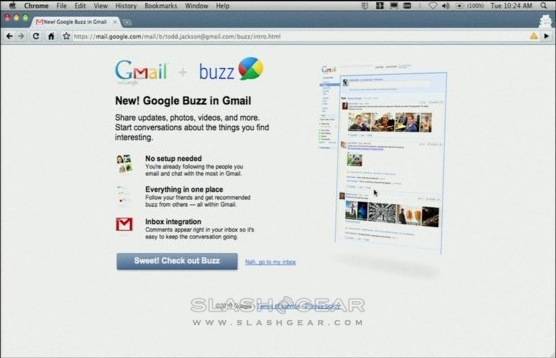
A new announcement by Goggle brings a new product called Google Buzz. Google Buzz builds upon Gmail’s messaging, IM and in-browser video chat, and focuses on in-Gmail sharing with other users.
This was taken from our slashgear.com:
Auto-following – Buzz takes advantage of Gmail’s record of frequent contacts, automatically setting up contacts based on who you email with regularly.
Rich, fast sharing experience – Google Buzz pulls in information from your contacts’ Google Reader, Facebook, Twitter, Picasa, YouTube and other services, even if you yourself don’t have an account with that service. Videos and photo thumbnails are shown in-line, but there’s also a custom photo viewer that pulls up a full-browser slideshow. Links, meanwhile, when pasted into Buzz automatically pull out photos from the source URL, and you can click to add them to your stream. Meanwhile there are the regular Gmail keyboard shortcuts for speedy navigation.
Public and private sharing – When you post something – either an update or a comment – you can select between public or private comments. Anything public goes to the user’s Google profile and is search-indexed, but anything private can be added to custom groups of people – friends, family, colleagues, etc – and be limited to those contacts.
Inbox Integration – Google have looked at mproved methods to integrate social updates with your inbox; rather than send simple emails, messages are flagged up with a Buzz logo, and those messages are dynamically updated with new comments. All the usual Buzz features – including the full-browser slideshow – are functional. Also integrated are @-replies, and typing that into the comment box automatically pulls up an auto-complete of your contacts. Sending an @-reply directs that comment to the other user’s inbox.
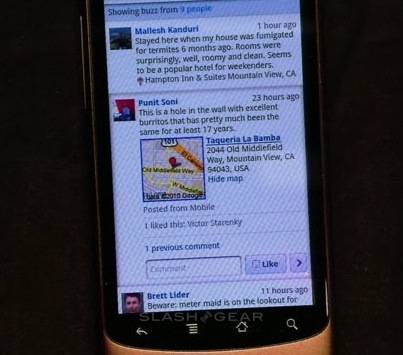
Just the good stuff – Buzz is designed with sharing and recommending in mind. If several of a user’s contacts comment on another item, from a user you’re not following, that’s automatically flagged up on your own Buzz stream. You can then click on the Recommend button to see who prompted it to be added to your Buzz stream, and then give feedback on how appropriate it was which educates the recommendation engine.
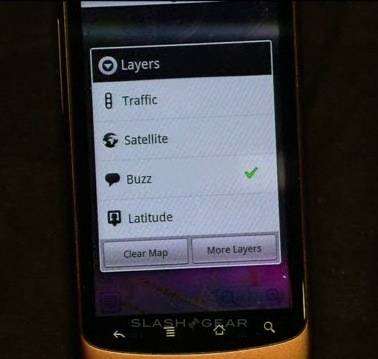
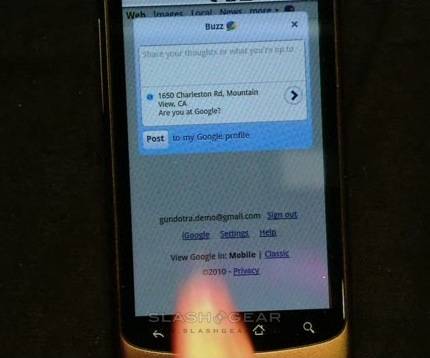
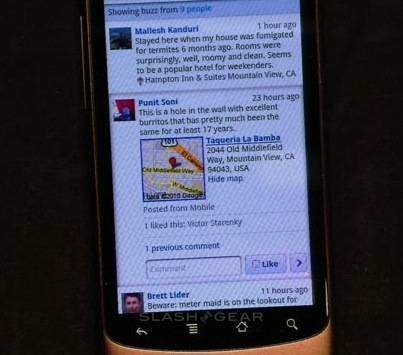
There will be an Android app for Google Buzz. this app will pull full event streams to your mobile device. When you open it, your GPS location will be recorded and all the businesses near you will be located for you. The details of the events will be determined by the time of day as well as your location.
This will be released as a consumer product first but later in the year Google plans to incorporate it as an enterprise tool. There is no release date set yet but in the mean time enjoy these video demos.
[youtube]http://www.youtube.com/watch?v=yi50KlsCBio[/youtube]
[youtube]http://www.youtube.com/watch?v=m-kcVDNi6eg[/youtube]
[via slashgear]







