

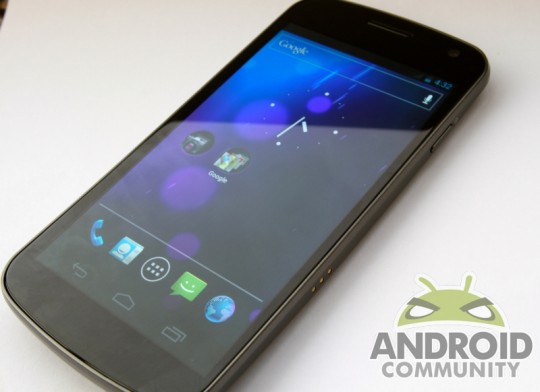
If you own a Samsung Galaxy Nexus, we have some good news for you. A developer that goes by the Twitter handle @KillDroidHack has managed to grab all of the core apps for Android 4.2 and uploaded them in a nice little zip file that you can flash to your phone and use. This should come in handy if you want to check out the latest stuff right this minute instead of waiting.
This zip files has all the cool stuff such as Gmail, the keyboard, clock, PhotoSphere, calendar, alarm, and more goodness. If you can’t wait for if and when 4.2 hits your Samsung Galaxy Nexus, you no longer need to. Of course, it needs to be said that we did not put this ZIP file together, and we are not responsible for what is contained within. Anytime you install anything like this to your phone, you need to be careful. If something bad happens, don’t blame us.
The one app that was notably missing was Google Wallet. Well, OMGDroid’s Keyan has gone and uploaded a separate file with Google Wallet, so you can flash that to your device as well. Between this, and the larger ZIP file, you can get most of the Android 4.2 experience on your device right now.
When you install these apps, make sure install them like a normal apk, or place it into your system apps. Be sure you know what you are doing; the last thing you want is to brick your phone trying to install these apps. This is definitely some good news for owners of the Galaxy Nexus. Looks like the holidays are here a little early for you guys.
[device id=1740]
[via @DroidHackKill on Twitter]








Estimated download time.. 4 hours.
Yup I’ll pass
Can this just be flashed without wiping anything in recovery?
I’d probably wipe cache and dalvik first. And as a rule of thumb you guys should all do a Nandroid before flashing. Just a thought @5e0459f6d8adad53456db0277cd4ae83:disqus
I tried this way, too, with no success. After having to wipe and restore, I’m going to wait for the real deal.
@CoryGunther:disqus I had a backup so it was not a problem for me. And I did wipe the dalvik cache as well as the cache partition before flashing and it did not give any errors during installation. But on bootup I got many errors like Gmail has stopped, Launcher has stopped. Same for Gallery. Could not even launch the camera directly from the lock screen. Did you manage to do it successfully though? Anyways this really wasted my precious time and now I’m gonna wait for Google to release the factory images.
Guys DO NOT flash this zip file, I tried it with my stock 4.1.2 ROM and now on bootup I get errors like “Unfortunately, Launcher has stopped”. Same for Gmail, Gallery etc. Phone is now unusable. Will have to reflash my stock ROM now. 🙁
Any suggestions on how to fix this?
Did you rename or delete old odex files?
Delete all the old apk’s. This will happen if you have both installed simultaneously.
Ok i download, i install and i test. Finish download in 10 min i come back after to tell you
I install on my Galaxy Nexus 4.1.2 i make backup, after install not work tell me launcher won’t start
reinstall my old os Android 4.1.2
Same here 🙁
Guys dont forget to either rename or delete old odex files or you’ll get FC
@google-499a3bc562e91eaf9f3bfff765bfb502:disqus Didn’t know that had to be done so I went with the usual method of wiping dalvik cache and cache partition and then flashing the zip file. Anyways wasted precious time on this, now gonna wait for Google to release the factory images. Thanks btw.
Hey guys, just grab this random zip fie posted by a totally trustworthy guy called KillDroidHack that contains core apps that have access to your account and login information etc . Even Wallet! What could possibly go wrong!
I’ll wait, thanks.