

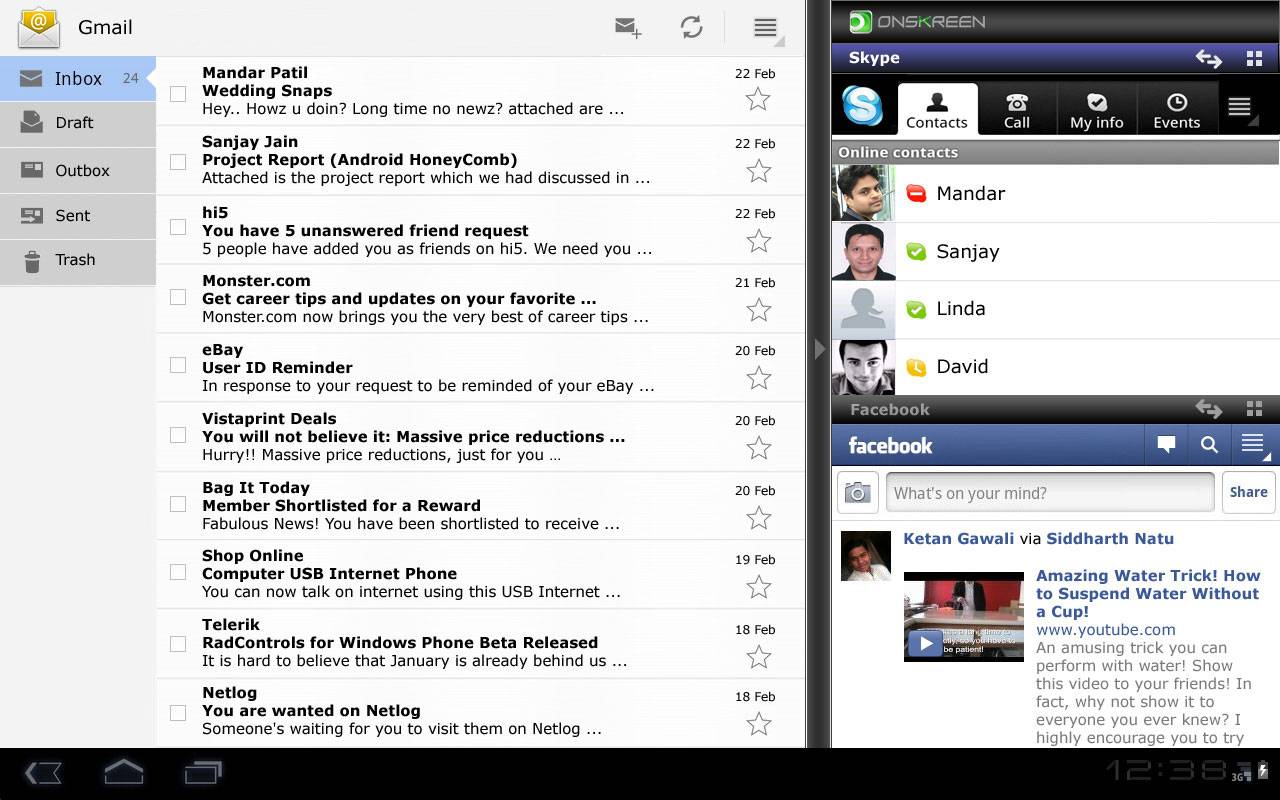
There’s a group called Onskreen promoting their Android tablet profile Cornerstone today, this system, which appears to be a homescreen replacement app, set to offer what they’re calling real multitasking to the masses before Honeycomb tries for the same crown en masse. Apparently they’re aiming for the manufacturer market of those not wanting to wait for Honeycomb to become available to them, instead offering this system on Android 2.3 Gingerbread. Little do they know, Gingerbread might be just as hard for these companies to get as Honeycomb currently is – super lockdown!
As we well know, Android 2.3 Gingerbread isn’t the easiest for manufacturers to get ahold of – yet here we have a group that’s promoting a tablet user interface that runs on Gingerbread, trying to undercut the release of Android 3.0 Honeycomb. Will it work? I suppose we’ll just have to take a peek at what they’re offering and make a pre-judgement! Have a peek here:
What this system offers is a paneled system, allowing you to view and interact with multiple applications at the same time instead of having to close and open each of them each time you’d like to accomplish another task. Push these applications to the side, resize them, and work with them just as if you had multiple devices in front of you, all of them sharing the same brain.
You may have noticed also that this particular demo takes place in a Honeycomb environment – does this system plan on taking Honeycomb’s functionality and placing it over Gingerbread? That’d be quite the interesting move considering the next Android release (Ice Cream) is set to do essentially the same thing, from what we understand.
What do you think? Would you like to try it out for a spin?
Personally, I’m pretty hesitant. I can’t imagine this being as helpful as they’re promoting it to be, and to tell the truth, I still think tablets (as well as smaller handsets) should be left to one task at a time. We’re a generation of time wasters, no need to break down our brains further with easier access to more distraction.
The beta of for this environment is set to release in 4 weeks.
[via Mobile Beat]








Color me interested! This looks great, if it can run with no lag or glitches.
I hope this is the path that google is taking in the future.
I would use it even with alittle lag and little glitches ‘=)
Just what the doctor ordered. Honeycomb already comes with the multitasking button, and the webos has the cards. I have a HP touchpad with WebOS. I absolutely love the cards. I can have my email in one card, read a pdf in another, and still run youtube. Recently I dual booted my web os with the Alpha 3 Android. Very nice, and it actually does multi-task I noticed as I re-opened the apps. It’s the switching between running apps I need.