

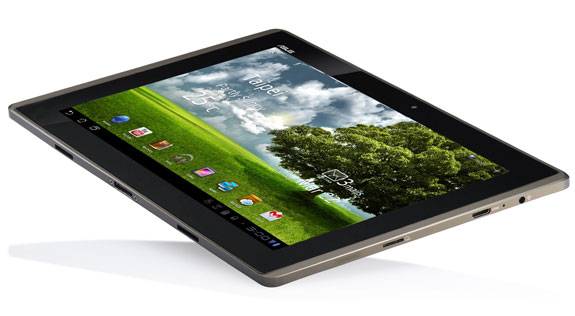
ASUS has just announced a quick update for their popular and original Eee Pad Transformer Tablet — not the Prime. The update is available starting today for users that have already updated to Android 4.0 Ice Cream Sandwich and should fix a slew of bugs, as well as the lag issue some were experiencing on ICS. More details and changelog after the break.
The TF101 was updated to Android 4.0 ICS back in February, and this is the first update since so users should be happy to see some changes and improvements. We aren’t seeing anything major other than a few bugs and specifically that change to help the lag issues, but here is the changelog as provided by ASUS:
Improves system stability
Improves email stability
Improves AppBackup App
Improves MyLibrary stability
Supports Wi-Fi Direct
Supports unzip in File Manager
Add restore tab function in Browser
The update will begin rolling out today, April 24th, so users should already be seeing this hit their tablets. As usual you can manually pull the update by going to settings > about tablet > check for updates or ASUS Firmware updates and enjoy this latest build. Feel free to give it a try and let us know should you have any problems. Does stability seem improved, and how about those lag issues? Drop us a comment and enjoy.
[device id=272]








After the update, the ASUS WebStorage (ASUS clouds) in my TF101 crashed. Though I’m not pretty sure whether it’s the problem caused by the newest update or not.
Can’t get bbc iPlayer or netflixs to work on my ASUS. Done all up dates and Adobe up dates but still not working. Called help line but no help at all. Can you please??
My tablet still has the reboot issue.
everyone download wakelock and the reboot issue will stop
I thought that all the problems were fixed, but i’m still getting some screen tearing when I go to the recent apps. I havent had a boot loop yet. I just downloaded it this morning, but usually it will go into a boot loop while in my locker at work. It didnt today. So it could possibly have worked.
LITERALLY spoke too soon. JUST after typing my last post. I walked over to my transformer. and guess what? stuck in a boot loop. Stability my ass.
Aw, really? that’s lame. I was hoping it would fix shit.
Just wondering here, but has anyone notice these problems getting worse with the dock. It seems to me that I have fewer reboots and lower battery drain with the dock detached.
I don’t trust ASUS as far as could throw their corp office! Their Android 4.0 update completely screwed over my happy TF101A running 3.2.1 Honeycomb! I had to wipe the TF totally clean with a full factory reset and it took me 2 weeks to get it back to where I was before! ASUS is as bad as CrApple experimenting on their owners as update Beta Testers!! DON’T TRUST THEM! Wait a few months to update!!
Wakelock is good, but can get crashed by other apps such as angry birds space. Then you need to reboot if you want to reapply the wakelock settings.
The latest update did not help at all. I still get reboot loops and even worse (hangs at the Asus splash screen). It does seem to be worse with the dock. I had the unit on charge all night and all day long, went to power it back up (from a battery drain), and it locked up. I detached it from the dock and it wouldn’t start up because it indicated that the battery was dead. I attached the power cable and it booted up just fine. I don’t trust the unit anymore. I had a Samsung Galaxy Tab prior to this that was rock solid. I also have an iPad that I can trust will have battery and not reboot on me. Asus just isn’t putting in the time and energy on this issue. With as many people with issue out there, they should be able to collect some sample units and correct the problem. This will cost them far more than they realize. I buy a lot of computer products (including) several Asus products and will not continue with Asus products unless they show something more than what they are currently.