

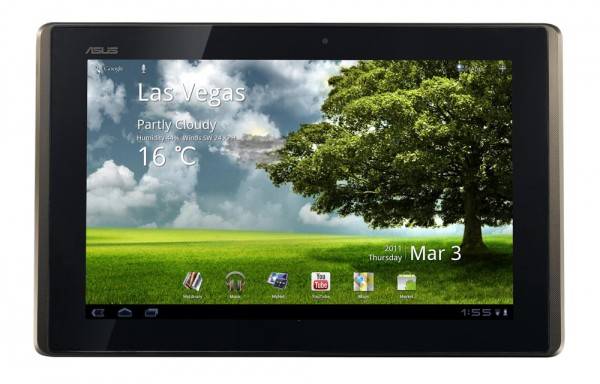
The teams have ASUS have been busy with the launch of devices like the ASUS EeePad Transformer tablet running on the greatest OS of all times — Android! Recently for anyone that may follow them on Twitter (assuming you’ve not left for G+) you’ve probably seen the upwards of 10 or so videos they have posted recently all about the Transformer. Feel free to follow them at @ASUS, and us at @androids. Being the nice guy I am I’ve gathered them all right here just for your viewing pleasure.
Basically what ASUS has done is started responding to all their users FAQ’s with how-to videos and plastering them to YouTube. It’s actually a really great idea as they neatly and quickly show you all sorts of amazing things their tablet can do. From playing games on your HDTV, stream video wirelessly to said HDTV, to using Google Maps and more. These videos are short and sweet and vary from 1-2 minutes on average.
This is no particular order (but I’ll try) and I’ll be tossing them below as I see them. This will be a great post you can direct anyone with an Android tablet for help, not just Transformer users as plenty of this is universal to Android or tablets.
Google Maps on the Transformer
https://www.youtube.com/watch?v=DrxpU9bIMiQ
Downloading Android Apps from the Market
https://www.youtube.com/watch?v=1fU4UIQE_9E
Using the keyboard dock, and what makes it different
https://www.youtube.com/watch?v=FDSdqX2TjyQ
Expandability and Storage
https://www.youtube.com/watch?v=uy2E2gXLCh8
Screen size and durability
https://www.youtube.com/watch?v=Gyo4Q2lbDt8
Playing games on your device and HDTV
https://www.youtube.com/watch?v=GUYZuLJb6L8
Using Flash on the Transformer and Android
https://www.youtube.com/watch?v=38h9fQM9K6E
Taking pictures and video
https://www.youtube.com/watch?v=2DlzT8bYlpQ
Streaming wireless video
https://www.youtube.com/watch?v=hY2zdwTsTG8
Access computer and Windows on the Transformer
https://www.youtube.com/watch?v=NDsrcp02bkU
Like I said this is actually a really great idea and a nice round-up of some of the top questions users may have for all Android tablets and for that– Asus, We thank you! I went ahead and watched almost all of these completely through and learned a few things even I didn’t know. For how much I toy around with Android I was surprised with what some of these videos had to offer. For average or novice users this will be a great help but for users like myself we might already know and use most of these features and tips.
Feel free to enjoy all of these videos and ask any questions you may have in the comment section below, as well as to Asus over on Twitter and YouTube.
[device id=272]








I have a FAQ for them. When will they release their accessories! DAM IT! They should have at least released power adapters and USB cables by now!