

I must say that ever since I got my Motorola Xoom I’ve been wishing for a good Twitter client on honeycomb. TweetComb first came out and we did a mini review on that. Later it went from being a paid app to free for all. Personally it is nice but it is too similar to Tweetdeck for PC and I didn’t like the small size and having all three panels always open. TweetCaster has came to the rescue for all us android tablet users and so far I love it.
Hurray! Today TweetCaster HD is our App of the Week,
First Impressions
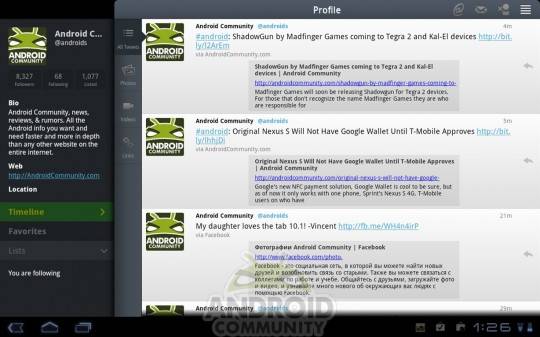
First off it looks like it was built for a larger screen device. Yes tweetcomb has context menu’s and that honeycomb feel but the font was tiny and it still didn’t seem polished for a 10″ display. Thankfully TweetCaster HD has went ahead and made use of the large area using up most of the screen for your tweets and a small panel to the left to control everything, similar to how Gmail works on honeycomb. I really like the panel style this way over seeing tweets, mentions and direct messages all at the same time like other apps do. Everything seems very polished and complete, especially for it still just being in beta.
Usability
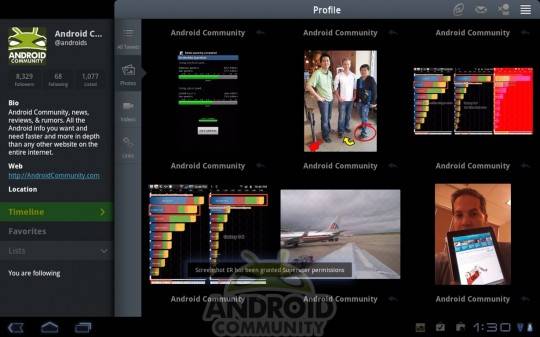
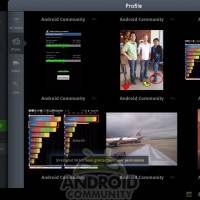
Just like in the image above, you can see exactly what I’m talking about with the panel system, using most of the screen for what is important and that is your main timeline. One of my favorite things they have added is what Handmark is calling “smart filters” where you can filter your timeline by photo’s, video’s, or even links. Instead of seeing everyones tweets you just see photo’s. It is a great way to see everything posted without having to read through all the posts. I went to AndroidCommunity’s twitter via @androids and selected photo’s to see some photos we have posted as of late, check it out below. Neat huh?
Wrap-Up
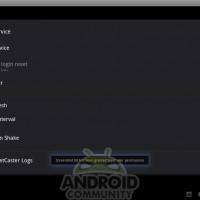
To wrap this up I’ll leave you with my two favorite features other than the great UI. First off the filters are excellent and being able to only see my timeline by photos or links is a great way to skim through all the news for the day without having to leave twitter. Then going into settings you can customize just about everything from font size, to specific colors for your tweets and mentions but what I really liked is “shake to refresh”. Something like that on a phone you might refresh it on accident, but a large tablet it works extremely well and I am pleased to say it is very convenient.
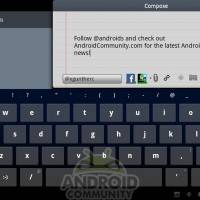
For now TweetCaster HD Beta is available in the Android Market, you can get that by clicking here. Currently its free, and hopefully it will stay that way and I’ll be a user for a long time to come. Don’t forget to check out and click the photo’s in the gallery below for full-size images as well as more pics of things like TweetCaster’s settings, compose and more.
Last week we reviewed Bang Bang Racing THD as our App of the Week.









Nice article…
Hve read a nice blog on exercise Apps….must read…….http://bestcontactmobilephone.blogspot.com/2011/06/apple-iphone4-best-exercise-apps.html