• Home
  • Reviews
  • Featured
  • Archives
  • Videos
  • Devices
  • Tegra
  • Send Tips
  • Contact
  • AndroidCommunity on Twitter AndroidCommunity on Facebook AndroidCommunity on Google+ AndroidCommunity RSS Feed

Android Community

    • MUST READ

      STORIES

    • Hisense Sero 7 Pro with Tegra 3, Android 4.2 takes on Google’s Nexus 7

      May 19, 2013

    • Google H840 media streamer hits the FCC to replace the Nexus Q

      May 18, 2013

    • Google+ Hangouts app update adds tablet support

      May 17, 2013

  • Trending Topics
  • Jelly Bean
  • NVIDIA
  • Galaxy S 4
  • HTC One
  • Nexus 7
  • Sell Your Used Phone

Monthly Archive: May 2013

Google extends free Gmail calls through 2013

0
  • By Eric Abent
  • on 26 Dec, 2012
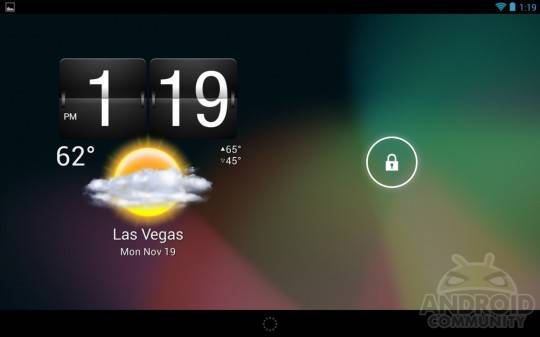
Google extends free Gmail calls through 2013
One of the more interesting features of Gmail, as many of you already know, it that it lets you make voice calls in addition to just sending off emails. Google allows free domestic calls within the US and Canada, which is a major bonus, but today it announced that the free calls won't be ending anytime soon. Google has revealed that it will extend free domestic calling for the US and Canada through 2013.
Continue Reading...

Google testing ‘quick view’ for mobile search results – on iOS at least

0
  • By Cory Gunther
  • on 26 Dec, 2012
Google testing ‘quick view’ for mobile search results – on iOS at least
The popular desktop "quick view" feature for Google search results appears to be headed to mobile in the near future. Google seems to be testing out this new quick view feature, at least on iOS, where users can instantly get a quick view of the webpage without loading the full site -- and data. It's called quick view and as you can see there's a big nice button on some mobile browsers.
Continue Reading...

Original DROID RAZR and MAXX get Android 4.1 Jelly Bean update

0
  • By Cory Gunther
  • on 26 Dec, 2012
Original DROID RAZR and MAXX get Android 4.1 Jelly Bean update
For those proud owners of the original Motorola DROID RAZR or the RAZR MAXX we have some excellent news for you this afternoon. The folks from Verizon and Motorola nicely surprised everyone this holiday season by sending out the update to Android 4.1.2 Jelly Bean on Christmas morning. If you didn't get too many gifts, this should be one to enjoy.
Continue Reading...

Nook Tablet gets Android 4.2 by way of an unofficial CM10.1 release

0
  • By Robert Nelson
  • on 26 Dec, 2012
Nook Tablet gets Android 4.2 by way of an unofficial CM10.1 release
The Nook Tablet is no stranger to CyanogenMod. In the past we have seen builds for the tablet, and as of today we have word of an unofficial CM10.1 build for the Nook. And for those of you who have stuck with the stock ROM and are now ready to make the jump to custom ROMs -- as you will be going from Gingerbread to Jelly Bean, this will be a big jump. That said, read on to find out a bit more about this release.
Continue Reading...

Samsung SGH-T999L could be the LTE capable Galaxy S III for T-Mobile

0
  • By Robert Nelson
  • on 26 Dec, 2012
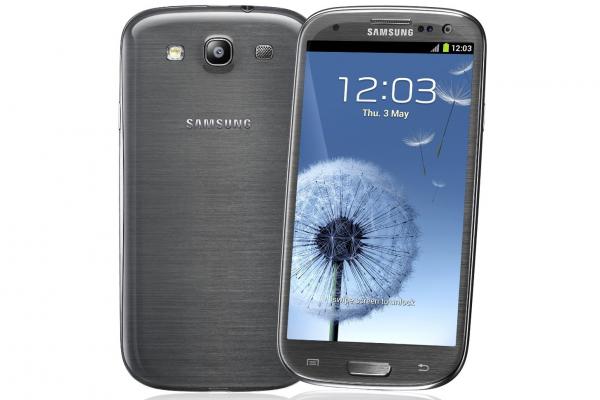
Samsung SGH-T999L could be the LTE capable Galaxy S III for T-Mobile
We would be lying if we were to say that we were not a bit skeptical on this one, however sometimes that is the fun that comes with a rumor. In this case, a recently discovered Bluetooth SIG filing suggests that an LTE capable Galaxy S III could be heading to T-Mobile.
Continue Reading...

Samsung Galaxy Note 7 (GT-N5100) benchmarks spotted

0
  • By Robert Nelson
  • on 26 Dec, 2012
Samsung Galaxy Note 7 (GT-N5100) benchmarks spotted
We have seen previous rumors about a 7-inch Galaxy Note coming from Samsung. In fact, earlier this month we saw some NenaMark 2 results for the GT-N5100, the device believed to be the Note 7. And well, flashing back to the present day and it looks like we now have another set of benchmarks for the GT-N5100.
Continue Reading...

OPPO reveals a 32GB version of the Find 5 smartphone

0
  • By Robert Nelson
  • on 26 Dec, 2012
OPPO reveals a 32GB version of the Find 5 smartphone
We saw the official announcement for the OPPO Find 5 smartphone earlier in the month. Nonetheless, it looks like OPPO has taken to Facebook and offered some additional details. This latest includes a 32GB model and a wider international release.
Continue Reading...

ZTE Grand X FCC filing reveals support for T-Mobile USA

0
  • By Robert Nelson
  • on 26 Dec, 2012
ZTE Grand X FCC filing reveals support for T-Mobile USA
We have yet to see any announcement from T-Mobile, however this recently discovered FCC filing leaves little mystery as to where this handset is heading. In short, it is looking like T-Mobile is going to be bringing the ZTE Grand X to the US market. That said, we have the specs but nothing in terms of when the handset may come available.
Continue Reading...

ZTE Nubia Z5 with a 5-inch 1080p display officially announced

0
  • By Robert Nelson
  • on 26 Dec, 2012
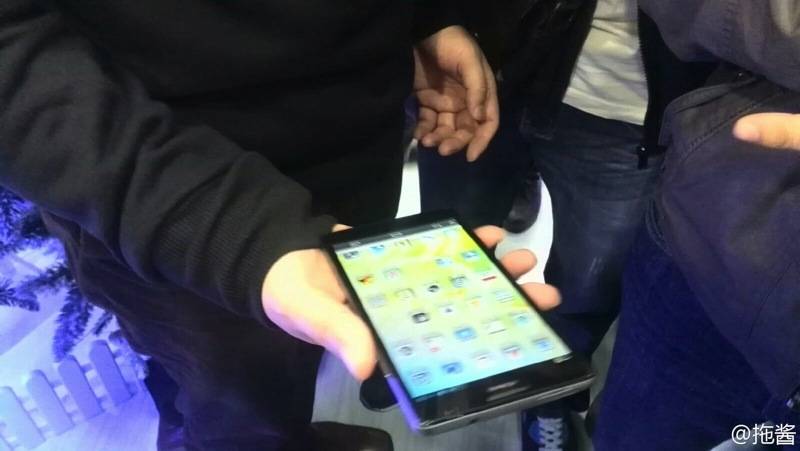
ZTE Nubia Z5 with a 5-inch 1080p display officially announced
ZTE was expected to release the Nubia Z5 a short while back, however a last minute change pushed that release back. The new release date was pushed to December 26, and well, that day seems to have arrived and so has details for the release. In short, the ZTE Nubia Z5 smartphone has been officially announced for those in China.
Continue Reading...

Automating your smartphone to improve battery life

0
  • By Robert Nelson
  • on 25 Dec, 2012
Automating your smartphone to improve battery life
While our smartphones are able to do more and more these days, battery life remains an issue for most. Well, maybe aside from Galaxy Note II users with the massive 3,100 mAh batteries. But in my case, I am rocking a Galaxy S III with the stock 2,100 mAh battery. And well, I would probably fall into a power user category and that means I am often looking at a quickly draining battery. When dealing with battery life issues, the most common tip you hear seems to be something along the lines of simply turning (enter setting name) off when you are not using it. Sure, that does make sense, but you know what, I want these features on when I want them and don't want to have to worry about turning things like Wi-Fi, GPS and Bluetooth off and on. I just want them available when I need and/or want them. To me, turning them off manually is just not an answer. That being the case, I began looking at ways to automate my setting adjustments -- because truthfully, I don't need my GPS on while I am home and I don't need my Wi-Fi constantly scanning while I am out and about. Enter apps such as Atooma. And in my case, I also added Silence and the use of NFC tags. Atooma is an app that touts itself as making your smartphone smarter. And well, it does just that. For example, I have Atooma set to turn my Wi-Fi off when I leave my home and then turn it back on when I return. In addition to adjusting settings such as Wi-Fi, Bluetooth and GPS, Atooma is also able to do cool things with services such as Gmail, Facebook, Twitter and even SMS messages. Keep in mind, there are similar automation apps, such as Tasker, however in my experience, Atooma is the easiest to use. In fact, if you have ever used IFTTT on the web, you will have a good understanding of how Atooma works. As I tell people when they ask about what it can do, I generally tell them most everything, and that I find the only real limit is what you can dream up. Silence is another automation type of app, though this one is based more on time than location. Similar to Atooma, Silence is easy to set up and easy to use. Silence is available for free (ad-supported) or for $1.99 (ad-free). This app will allow you to adjust your ringer, Wi-Fi, Bluetooth and Airplane Mode settings based on a time schedule. And while some of this can also be done with Atooma, this is a good option for someone that doesn't need all the power of Atooma. For example, I use Silence to turn my phone on silent at 10PM and then have it revert back at 6AM -- that way I can use my phone as an alarm clock and not have to listen to message alerts all night long. And lastly, the use of NFC Tags. This one will be limited to those with an NFC capable device, however if you have that feature in your phone -- these are great. In my case I have a Galaxy S III and use the Samsung branded TecTile app with the TecTiles. The app is free and the actual sticker tiles are available in packs of 5 for around $15. These can be used for often changed settings, for example -- Bluetooth. I sometimes use this around the house and I sometimes use it in the car. I have a tag on my desk, next to my portable Bluetooth speaker and can tap the tag to turn Bluetooth on when I want to use the speaker. I also have one in my car, this one turns the Bluetooth on so I can make sure any incoming calls will be routed through a headset keeping me hands-free while driving. Bottom line here, assuming you are willing to do a bit of playing around, using apps to automate your smartphone settings can be a good way to improve battery life. They are also good is you are like myself and refuse to think that simply turning things off and on manually is the answer. Of course, these are only a few of the many available apps, so feel free to search around the Google Play store and find the ones that work best for you.
Continue Reading...
  • « Previous Page
  • Next Page »
  • Search

  • REVIEWS

    • AT&T LG Optimus G Pro ReviewAT&T LG Optimus G Pro Review
    • Iron Man 3 game Review: what you need to knowIron Man 3 game Review: what you need to know
    • Samsung GALAXY S 4 ReviewSamsung GALAXY S 4 Review
    • Samsung Galaxy Note 8.0 ReviewSamsung Galaxy Note 8.0 Review
    • Pebble review: Two weeks with a smartwatchPebble review: Two weeks with a smartwatch
  • HANDS-ON & QUICK LOOKS

    • Google+ Hangouts app goes live, we go hands-onGoogle+ Hangouts app goes live, we go hands-on
    • Flipboard magazines arrive with v2.0 update, we go hands-onFlipboard magazines arrive with v2.0 update, we go hands-on
    • Lenovo IdeaCentre Horizon hands-on with BlueStacks for Android gamingLenovo IdeaCentre Horizon hands-on with BlueStacks for Android gaming


  • T-Mobile G1 Accessories
  • RECENT COMMENTS

  • About
  • Contact
  • Terms of Use
  • Privacy Policy
  • Advertise

Copyright 2013 Android Community